Written by : Chris Lyle
Nov 28, 2025

Estimated reading time: 12 minutes
Key Takeaways
AI-driven automation enhances the accuracy, speed, and consistency of client intake notes for remote legal teams.
Centralized and real-time intake collaboration across law offices overcomes communication and documentation barriers.
Legal client summary tools reduce cognitive load by presenting clear, standardized client briefs.
Top AI-generated legal notes systems include features like natural language processing, structured data capture, automated summarization, and secure integrations.
Practical real-world use cases demonstrate improved multi-office coordination, intake quality assurance, and institutional knowledge sharing.
Fully embracing AI-powered intake solutions transforms remote legal workflows, enabling faster, more accurate, and collaborative client services.
Table of Contents
Introduction: Why Intake Notes for Remote Legal Teams Matter
The Importance of Effective Intake Notes for Remote Legal Teams
How AI Case Briefing Automation Transforms Intake Processes
Using Legal Client Summary Tools to Enhance Client Briefings
Enabling Intake Collaboration Across Law Offices
AI-Generated Legal Notes Systems: Features and Advantages
Practical Use Cases of Remote Legal Staff Client Briefing Powered by AI
Conclusion: Transforming Intake Notes for Remote Legal Teams with AI
FAQ
Introduction: Why Intake Notes for Remote Legal Teams Matter
Intake notes for remote legal teams are standardized summaries of initial client interactions, designed for easy sharing, reference, and collaboration among distributed legal professionals. As legal work has moved beyond the physical office, remote legal teams face new challenges such as communication barriers, inconsistent documentation, and difficulty sharing vital information across locations and time zones Alert Communications.
The landscape of legal client intake is quickly evolving. AI case briefing automation now plays a central role in optimizing client information gathering, organization, and dissemination. By automating these essential early steps, firms can ensure that every remote legal staff client briefing is streamlined, collaborative, and accurate.
This blog post will dive deep into how intake notes for remote legal teams—enhanced by AI technologies—can revolutionize your firm’s remote capabilities, security, and efficiency while enabling seamless team collaboration.
The Importance of Effective Intake Notes for Remote Legal Teams
Keywords: intake notes for remote legal teams, remote legal staff client briefing, intake collaboration across law offices
Clear, consistent intake notes for remote legal teams are the foundation for efficient and reliable legal practice in distributed work settings. These notes serve as the primary record of client needs, background, and expectations—details that remote members rely on deeply when face-to-face conversation is impossible. High-standard intake notes address the following issues:
Communication Barriers: Unlike in-office teams, remote staff can’t resolve intake questions with a quick in-person chat. They are often separated by time zones and asynchronous work styles Alert Communications.
Inconsistent Documentation: Team members may use varying formats or channels (emails, apps), resulting in fragmented or missing information. Streamline Your Practice: Client Intake Forms Demystified
Knowledge Silos: Without standardized record-keeping, valuable client or case data can become isolated, hindering intake collaboration across law offices. One Simple Way to Understand Automated Legal Intake
Direct Effects of High-Quality Intake Notes
Better Case Assessment: Accurate records help attorneys evaluate cases efficiently.
Enhanced Client Communication: Standardized summaries provide a reliable reference for discussions and updates.
Avoidance of Missed Deadlines and Errors: Clear intake notes help teams track critical dates and requirements, reducing missteps.
Key Benefits:
Remote legal teams stay aligned even when separated by geography and time.
Intake collaboration across law offices is possible, ensuring that everyone, from intake specialists to attorneys, is working from the same knowledge base.
Learn more: Alert Communications, Streamline Your Practice: Client Intake Forms Demystified
How AI Case Briefing Automation Transforms Intake Processes
Keywords: AI case briefing automation, intake notes for remote legal teams, AI-generated legal notes system
AI case briefing automation leverages artificial intelligence to extract, organize, and summarize legal information from a wide range of client sources—intake forms, emails, phone calls, or chats. Here’s how this technology changes intake notes for remote legal teams:
Key Benefits of AI Case Briefing Automation:
Speed: Instantly processes information, reducing intake-to-action time.
Accuracy: Minimizes manual data entry errors and overlooked details.
Consistency: Standardizes how information is extracted and formatted, no matter who performs intake.
Intelligent Summarization: Highlights urgent facts, legal issues, and necessary next steps.
Example Workflow:
A client submits an online intake form.
The AI system extracts names, dates, documents, and factual statements.
It automatically compiles these elements into a legal summary available to any authorized team member.
For remote legal teams, these capabilities eliminate hours of repetitive work and ensure that all staff—from paralegals to partners—are briefed from the same standardized, actionable notes.
Learn more: AI for Lawyers
Using Legal Client Summary Tools to Enhance Client Briefings
Keywords: legal client summary tool, intake notes for remote legal teams, remote legal staff client briefing
A legal client summary tool is software—often AI-powered—that transforms detailed client intake data into clean, standardized summaries for legal teams mylegalsoftware.com. These tools work hand-in-hand with AI-generated intake notes systems. Here’s what they deliver:
What Legal Client Summary Tools Do:
Auto-generate Summaries: Convert data from forms, calls, and documents into clear overviews.
Highlight Essentials: Present key details—client contacts, case facts, legal issues, urgency, and next steps.
Minimize Learning Curves: Allow attorneys or staff to “get up to speed” quickly, essential for remote legal staff client briefing.
Ensure Consistency: Provide uniform client briefings regardless of the intake specialist or the team’s location.
Reduce Cognitive Load: Team members need not sift through unstructured notes, enabling them to focus on case analysis and legal work.
For remote teams, these tools bridge the gap created by the lack of in-person huddles. Anyone can review a client summary—whether joining a matter for the first time or picking up where another attorney left off—ensuring seamless continuity.
Learn more: Legal Document Automation
Enabling Intake Collaboration Across Law Offices
Keywords: intake collaboration across law offices, intake notes for remote legal teams, AI-generated legal notes system
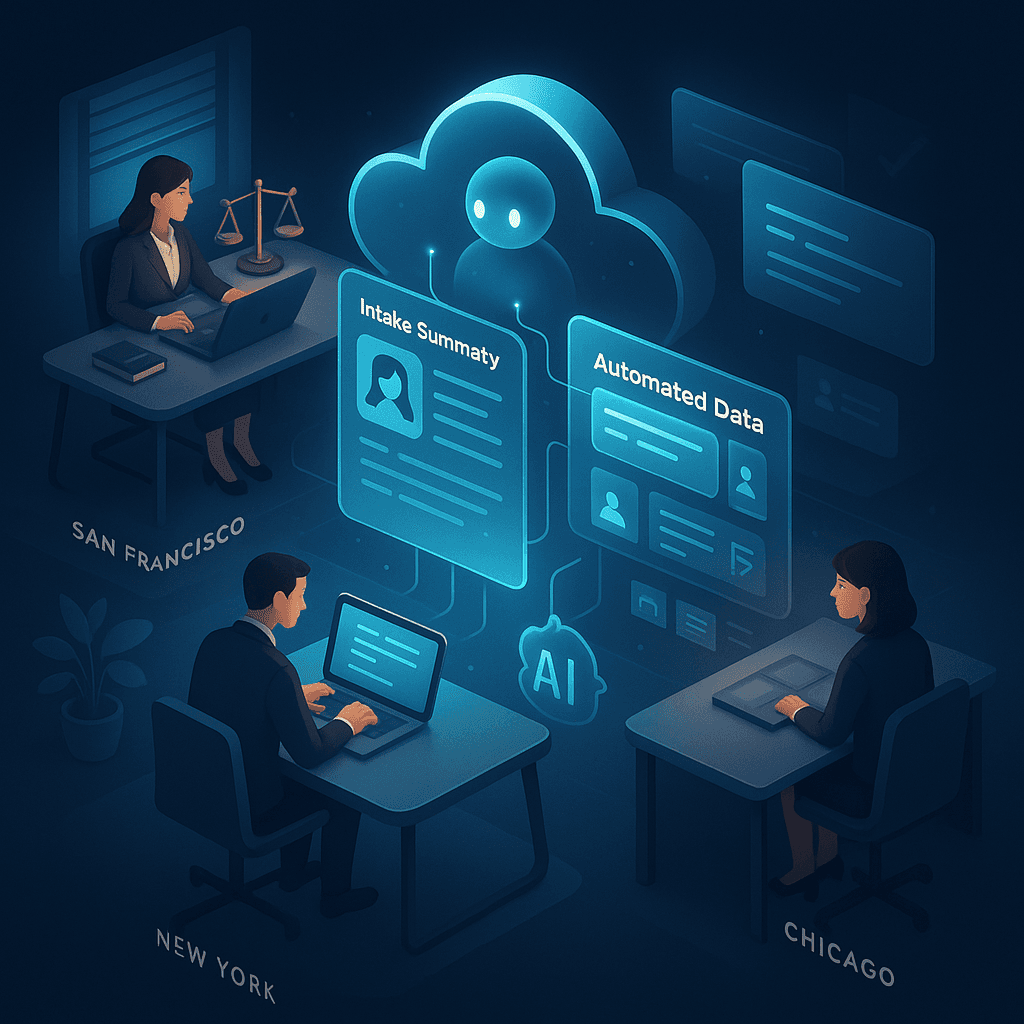
Distributed offices often struggle due to “information silos.” Intake collaboration across law offices ensures no matter where a team member is, the most current and complete client data is at their fingertips.
Intake Collaboration: Essential Features
Centralized Platform: All client information is stored in one system, accessible by authorized staff from any location Streamline.ai.
Real-Time Sharing & Editing: Multiple users—paralegals, intake specialists, attorneys—can view and update notes together, instantly syncing updates.
AI-Generated Legal Notes Systems: Automatically organize and present data, highlight action items, and signal missing information for collaborative follow-up.
Centralized AI-powered knowledge bases take it further:
Store and index firm-wide institutional memory.
Surface prior similar cases to help with current intakes.
Support new or less experienced staff with context and precedents.
Example Scenario:
A paralegal in Boston adds an update from a client call. Moments later, an attorney in Chicago sees the changes and prepares for their consult using the AI-organized summary—no email chains or lag time needed.
Learn more: Law Firm Automation
AI-Generated Legal Notes Systems: Features and Advantages
Keywords: AI-generated legal notes system, intake notes for remote legal teams, AI case briefing automation, legal client summary tool
Let’s review the technical features that distinguish top AI-generated legal notes systems, and how they empower remote legal teams.
Technical Features Breakdown
Natural Language Processing (NLP):
AI comprehends free-form communication—text, emails, transcribed voice—automatically picking out legally relevant facts, dates, people, and issues Alert Communications.
Structured Data Capture:
Intake details are standardized into categories: client info, case facts, questions, next steps.
Output is uniform, not free-form narrative, enabling instant cross-team comprehension.
Automated Summarization:
AI condenses lengthy conversations, emails, or forms into succinct, actionable briefs.
Urgent matters or missing items are automatically flagged.
Software Integration:
Direct syncs with practice management software prevent redundant entry.
Seamless workflow—intake data flows automatically into legal calendars, client records, and document systems Alert Communications.
Security and Compliance:
End-to-end encryption for all client data.
Role-based access controls, secure document management, and audit trails.
Full support for attorney-client privilege, HIPAA, and other compliance mandates—vital for remote practice Alert Communications.
Advantages for Multi-Location and Remote Legal Teams
Uniformity: Consistent documentation across all staff and offices.
Scalability: Can easily support growing teams or multi-office expansion.
Security: Keeps sensitive data protected while remaining accessible as needed.
Efficiency: Reduces time spent searching for, transcribing, or reconstructing intake notes.
Learn more: Alert Communications
Practical Use Cases of Remote Legal Staff Client Briefing Powered by AI
Keywords: remote legal staff client briefing, intake notes for remote legal teams, AI-generated legal notes system, AI case briefing automation, legal client summary tool, intake collaboration across law offices
AI-powered client intake tools are changing how remote and multi-office legal teams operate. Here are real scenarios highlighting the dramatic benefits:
Scenario 1: Multi-Office Case Assignment
Situation: A client calls the San Diego office of a nationwide personal injury firm.
Process: An intake specialist uses AI case briefing automation to record case details—facts, injury type, dates, urgency.
Result: The AI system processes and organizes this data into a legal client summary. Within minutes, an attorney in Dallas can pick up the file, review the standardized summary, and initiate action—no delays, no lost details.
Impact: Hours saved, unified approach, happier clients.
Scenario 2: Pre-Client Meeting Preparation
Situation: A remote attorney is preparing for a Zoom meeting with a complex employment law client.
Process: The AI system compiles an up-to-date intake summary, highlighting recent client interactions, pending issues, and vital case documents.
Result: The attorney reviews all pertinent information in minutes, ensuring a focused, strategic conversation without combing through old emails or disconnected notes.
Scenario 3: Intake Quality Assurance
Situation: An intake supervisor managing ten remote specialists.
Process: The AI notes system routinely audits intake entries, flagging missing data (like crucial policy numbers or witness names) and identifying inconsistent case summaries.
Result: Supervisors quickly address training needs or request additional client information, maintaining intake quality and minimizing downstream errors Alert Communications.
Scenario 4: Institutional Knowledge Sharing
Situation: A family law attorney encounters a contract issue but isn’t a contracts specialist.
Process: The AI-powered intake collaboration system surfaces past cases with similar contract issues handled by the firm’s corporate group.
Result: The attorney quickly gains insight and precedent, providing informed, client-focused advice—without interrupting a colleague or waiting on email.
Brief Testimonials / Hypothetical Results
Faster Onboarding: “New paralegals now start taking cases in days, not weeks, due to AI-generated summaries.”
Improved Accuracy: “Fewer missed client issues, thanks to automated flagging of incompleteness in intake forms.”
Enhanced Collaboration: “Different offices work together as one—everyone’s seeing the same, clear client information at all times.”
Happier Clients: “Our remote clients notice—we remember their details, answer questions quickly, and always seem prepared.”
Conclusion: Transforming Intake Notes for Remote Legal Teams with AI
The future of legal work is distributed, digital, and data-driven. Intake notes for remote legal teams, powered by AI case briefing automation, provide the backbone for quick, accurate, and collaborative client intake and case management Alert Communications.
Key Takeaways:
AI-generated legal notes systems deliver improved speed, consistency, and security.
Legal client summary tools connect every team member with clear, actionable information.
Intake collaboration across law offices is no longer a challenge but a competitive advantage when using centralized, real-time, AI-powered platforms.
By fully embracing these solutions, remote law firms can overcome the traditional barriers of documentation, communication, and knowledge silos. Staff spend less time searching for information and more time practicing law, while clients receive faster, more reliable service and consistent attention.
Ready to See What AI-Driven Intake Looks Like?
To discover how AI-powered intake solutions can transform your remote legal workflow, book a demo of LawHustle at https://golawhustle.com/demo. Experience first-hand how your team can collaborate from anywhere, manage intakes seamlessly, and deliver client service that stands out.
References:
Alert Communications: Best Practices for Training Legal Intake Teams to Handle Varied Practice Areas
FAQ
What are intake notes for remote legal teams?
Intake notes for remote legal teams are standardized summaries of initial client interactions designed to facilitate sharing, reference, and collaboration among legal professionals working remotely or across multiple locations.
How do AI-generated legal notes systems help remote law firms?
They automate the extraction, organization, and summarization of client information, improving speed, accuracy, consistency, and collaboration, while ensuring security and compliance across distributed teams.
What are the key features of AI case briefing automation?
Key features include natural language processing, structured data capture, automated summarization, integration with practice management systems, and strong security measures such as encryption and role-based access.
Can legal client summary tools improve team collaboration?
Yes, by providing consistent, clear client briefings that reduce cognitive load, these tools enable remote staff and attorneys to quickly get up to speed and maintain seamless communication across offices.
How do AI-powered intake solutions address documentation barriers in remote teams?
They standardize intake data capture and automate information sharing through centralized, real-time platforms, reducing inconsistent documentation, eliminating knowledge silos, and enabling reliable intake collaboration across locations.